How to Play
A hot air balloon has no engine to push it forward. All you can do is heat the air to rise or vent it to sink. Any forward or sideways motion comes entirely from whatever wind happens to be blowing. This game recreates that real feeling exactly.
This game lets you play a mini version of "JDG" (Judge Declared Goal), a real hot-air-ballooning competition format. Follow the steps below and you won't get lost, even on your first flight.
-
Pick your balloon's colors (optional)
Before you fly, you can freely choose your balloon's colors and pattern. Pick from a built-in pattern, or paint your own design cell by cell. You can always come back later with the Pattern Editor for finer control — for now, just pick something you like.
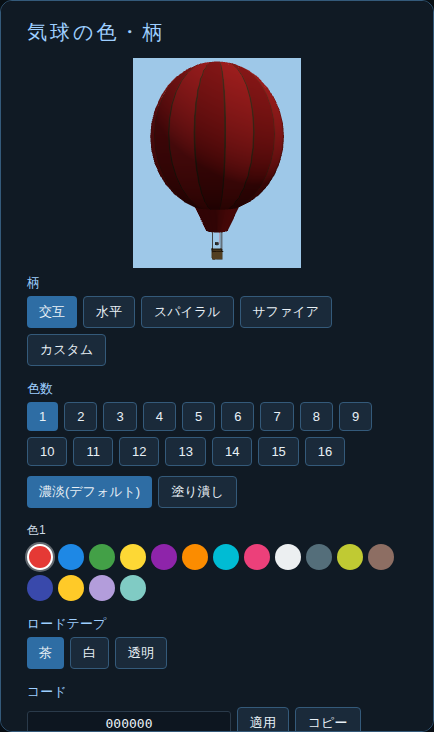
The in-game balloon color & pattern panel -
Choose a flight area
Pick from several real locations within Japan. Each one is rendered in 3D from official Japanese elevation and aerial-photo data.
-
Read the wind (the pibal table)
A "pibal observation data" table appears in the top corner of the screen, listing wind direction and speed at each altitude (in feet). Before you launch, use this to get a sense of which altitude might carry you toward your target.
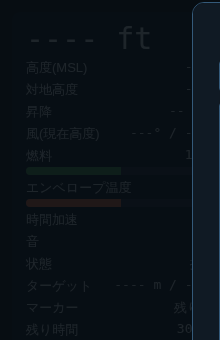
The instrument panel (HUD), visible throughout the flight -
Rise with the burner
Hold
Space(or the on-screen button on mobile) to heat the air and rise. Release it and heating stops; the balloon will gradually start to sink on its own. -
Change altitude to catch a better wind
Wind direction and speed differ by altitude. If the current altitude isn't carrying you toward the target, use
Space(rise) orR(rip line, descend) to find an altitude with a more favorable wind. This is the heart of flying a balloon. -
Drop the marker near the target
Once you're roughly above the target, press
Mto drop the marker. Your score is based on how close it lands to the target. -
Check your result
Your distance from the target is shown on screen — closer is better. If it doesn't go well, try reading the wind differently and fly again.
Basic controls
| Key | Action |
|---|---|
Space (hold) |
Burner — heat the air to rise |
R (hold) |
Rip line — vent air to sink |
M |
Drop marker |
V |
Toggle view (inside the gondola / outside) |
1–4 |
Time speed: ×1 / ×2 / ×4 / ×8 |
P |
Show/hide the pibal (wind) table |
| Mouse drag / wheel | Rotate camera / zoom |
On mobile, the same actions are available as on-screen buttons.
Tips for a good flight
- Altitude changes wind direction. If you can't reach your target at the current altitude, try climbing or descending — a different altitude may give you a tailwind
- Using the burner too much sends you too high; venting too much sends you down too fast. Small, frequent adjustments work best
- Once you're near the target, level off and get your altitude and heading right before dropping
Want more detail?
For a deeper look at how everything works, see the Features page. For balloon-specific terms, check the glossary.